Features ✨
Here is an overview of everything SmartSpawner brings to your Minecraft server.
🎮 Spawner Types
SmartSpawner introduces three distinct spawner types you can give to players.
Smart Spawner
The main spawner type. Generates drops and XP from a mob without actually spawning it. Fully stackable and GUI-controlled.
- Right-click to open the spawner GUI
- No mobs are ever spawned. Zero entity lag.
- Supports stacking up to your configured limit
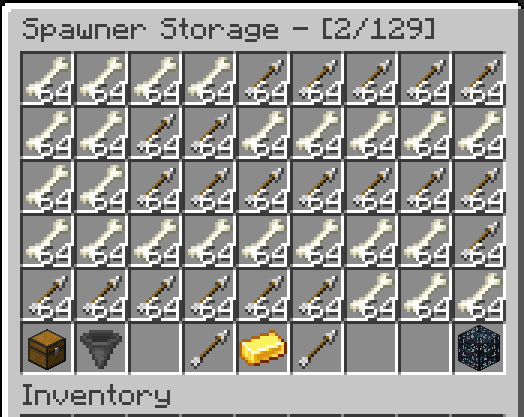
- Stores drops in internal paged storage
Item Spawner
Generates raw items (e.g. diamonds, emeralds, netherite ingots) instead of mob drops. The spinning entity inside is replaced with a floating item model.
- Configured in
item_spawners_settings.yml - Same GUI and stacking system as Smart Spawners
- Use
/ss give item_spawner <player> <MATERIAL>
Vanilla Spawner
A normal Minecraft spawner given via the plugin command. Spawns actual mobs with standard behavior.
- No GUI, no stacking
- Use
/ss give vanilla_spawner <player> <type> - Useful for hybrid setups
📦 Stacking System
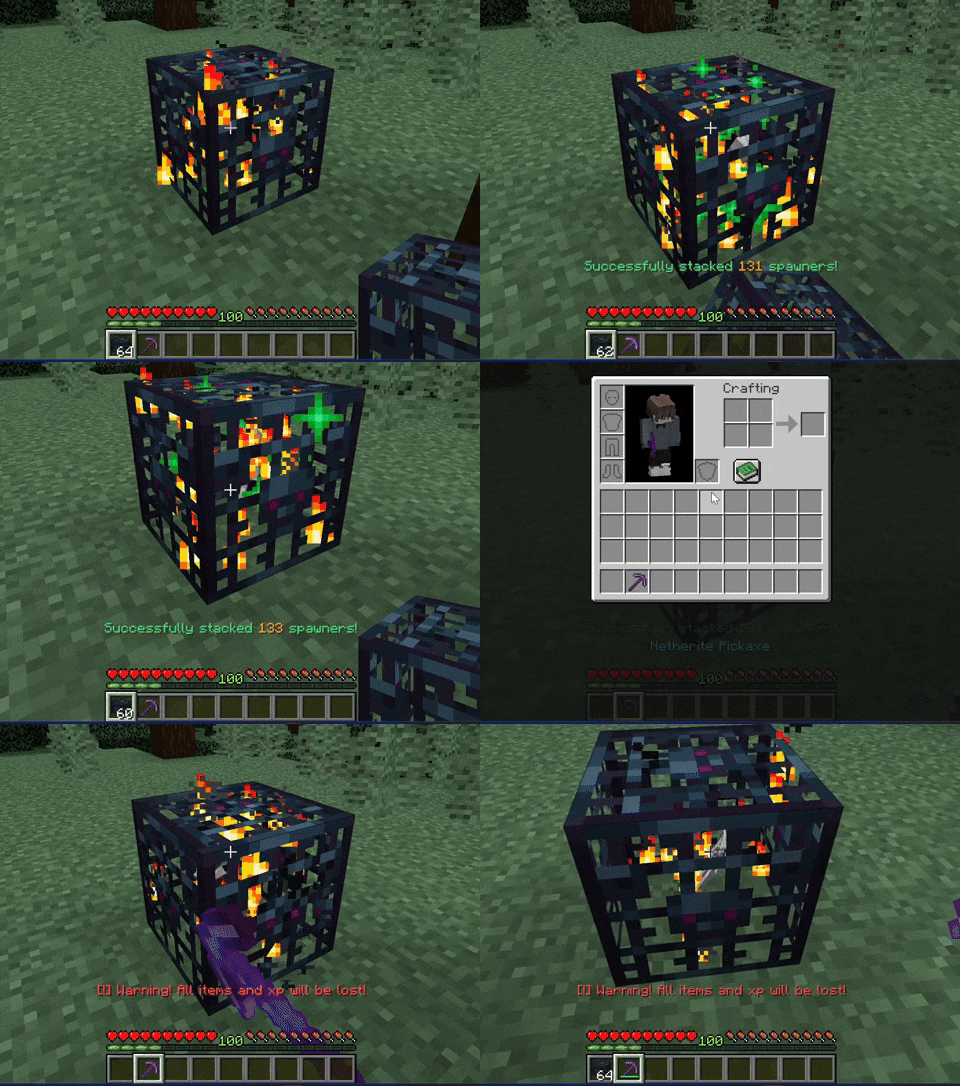
Reduce server clutter with seamless spawner stacking. Multiple spawners can be combined into a single block.
Stack by Hand
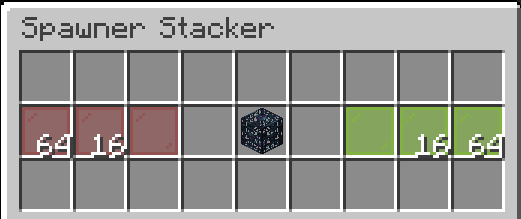
Stacker GUI
Proportional Scaling
🖥️ GUI System
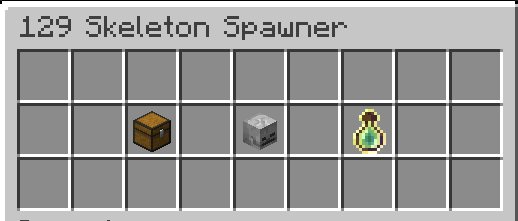
Main Spawner GUI
Storage GUI
Custom GUI Layouts
⛏️ Mineable Spawners
Players can break and collect spawners using the correct tools and enchantments. Every aspect is configurable:
spawner_break:
  enabled: true
  direct_to_inventory: false
  required_tools:
    - IRON_PICKAXE
    - GOLDEN_PICKAXE
    - DIAMOND_PICKAXE
    - NETHERITE_PICKAXE
  durability_loss: 1
  sneak_break: true
  silk_touch:
    required: true
level: 1sneak_break: Sneak while breaking to remove up to 64 spawners from a stack at oncesilk_touch.required: Require Silk Touch to collect the spawner itemdrop_chance: Optional per-mob chance that a spawner item drops when broken (configured per entity inspawners_settings.yml)
🛒 Shop Integration
Sell items directly from the spawner storage GUI with full economy support.
Economy Backends
- Vault: Universal economy API
- ExcellentEconomy: Multi-currency support
Shop Plugins
- EconomyShopGUI / EconomyShopGUI Premium
- ShopGUI+
- zShop
Prices can also be defined manually in item_prices.yml.
🌐 Plugin Compatibility
Protections
- WorldGuard
- GriefPrevention
- Lands
- Towny Advanced
- SimpleClaimSystem
- MinePlots
World Management
- Multiverse-Core
- Multiworld
- SuperiorSkyblock2
- BentoBox (requires setup, see BentoBox docs)
- IridiumSkyblock
RPG & Mobs
- AuraSkills: XP from spawners counts toward skills
- MythicMobs: Custom mob drop tables
Bedrock Support
Floodgate/Geyser players see a mobile-friendly form UI instead of chest GUIs when bedrock_support.enable_formui is true.
✨ Visual Effects
Holograms
Particles
Nearby Scanner
🗄️ Database Support
Choose your storage backend based on your server setup:
| Mode | Use Case |
|---|---|
YAML | Single server, simple setup |
SQLite | Single server, better performance than YAML |
MySQL | Multi-server or high-traffic environments |
Cross-server spawner listing is available in MYSQL mode via /ss list.
📋 Action Logging
Every important spawner action can be logged to rotating log files (human-readable or JSON). Configurable per-event with console output option.